A free, open-source Mac menu bar app that counts down to your next 5-hour window, warns you before you run out, and pings your phone when it resets.
macOS 14 or later · MIT licensed · everything stays on your Mac
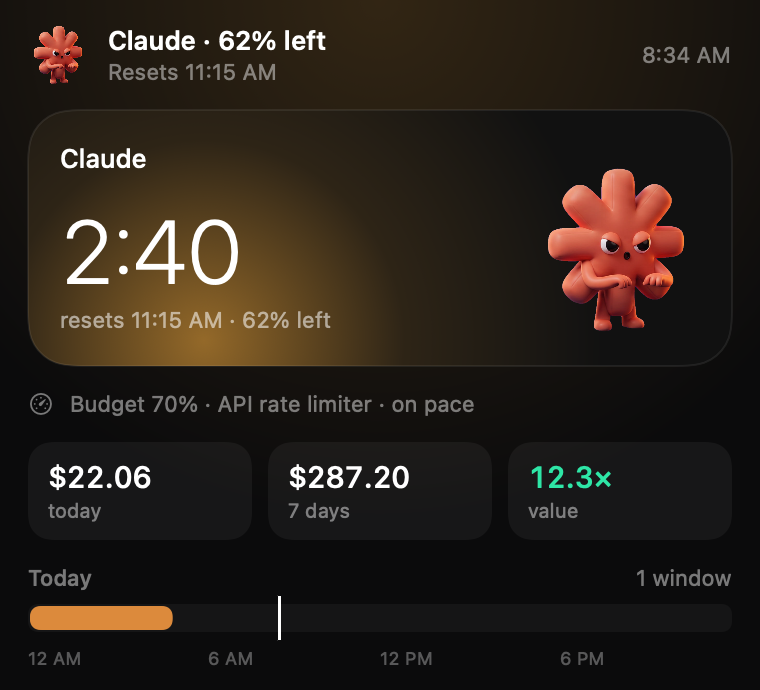
Orange: 2 hours 46 minutes until the reset, 42% of the window left.

Claude Code gives you a 5-hour usage window. Reset shows where you are in it, whether you'll make it to the reset, and starts the next one for you.
A colored pill in the menu bar: orange as usual, red when you're nearly out or your pace runs out first, green when a fresh window is waiting.
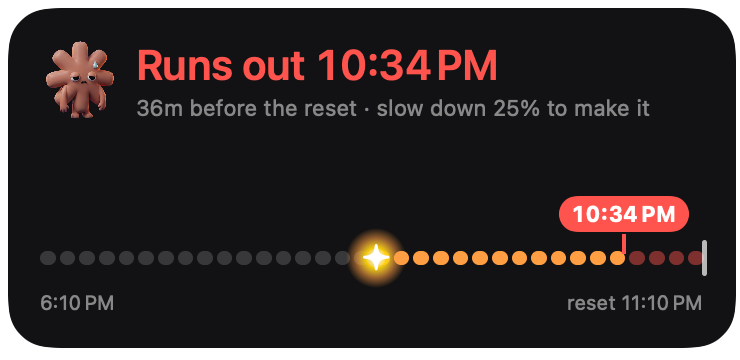
Reset projects your pace and tells you when you'd run out, and how much to slow down to reach the reset.
A ping at the reset through the free ntfy app, queued ahead of time so it arrives even with your Mac asleep.
Optional: when a window runs out, Reset sends one short message so the next one starts right away. Or press Start now in a widget.
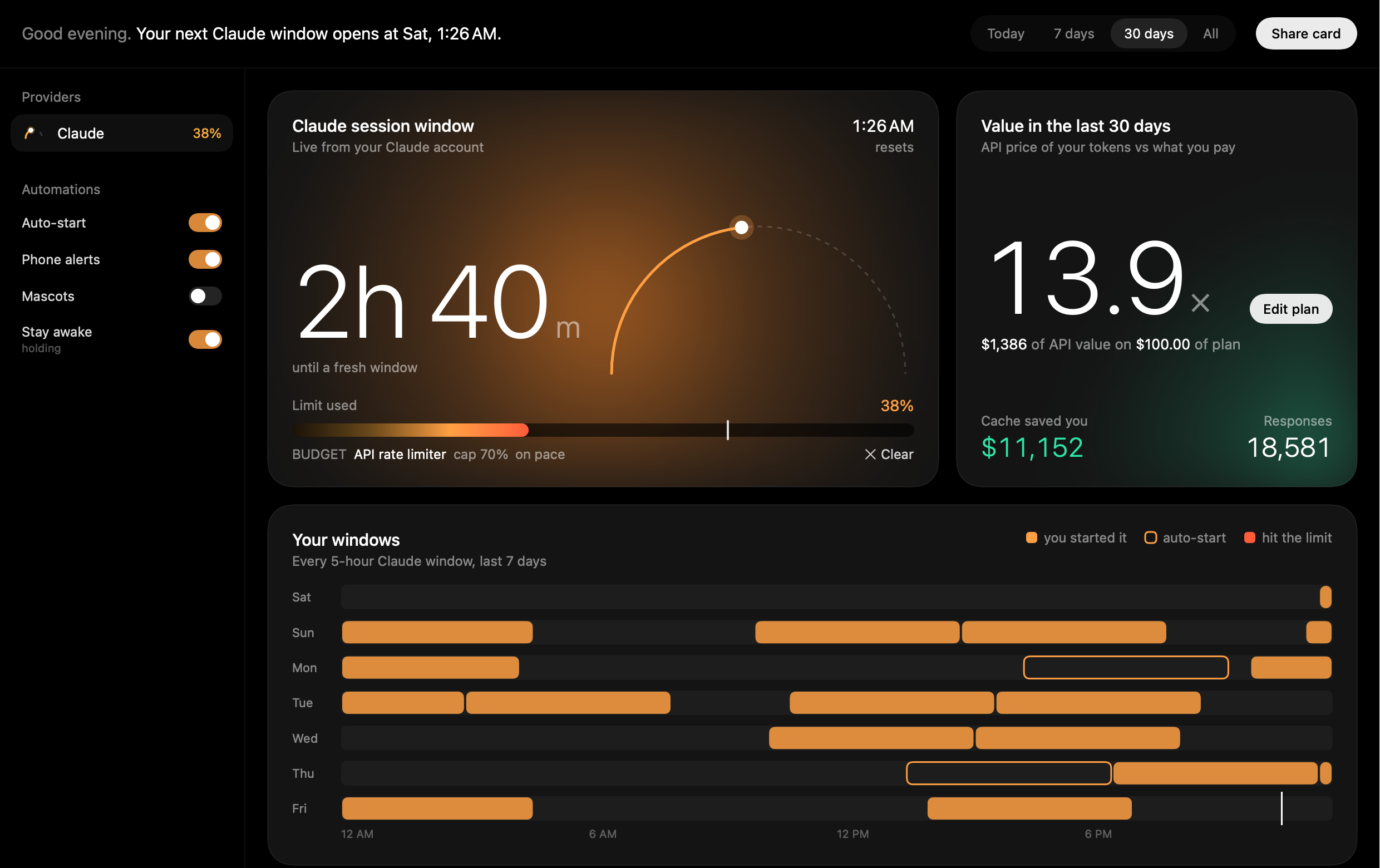
A dashboard with the API-price value of your usage against your plan, cache savings, every window this week, and cost per project.
A Team account and a personal Pro plan each get their own window, costs and plan price. Switch between them, or see both together.
On Pro and Max, Reset warns from 80% of the weekly limit, so you can pace the week instead of finding out when it's used up.
Notifications open the dashboard, with Start now and Sign in buttons right on them. Times follow your 12 or 24-hour clock.
Reads local logs only. No accounts, no analytics, no servers. Anything that leaves your Mac is opt-in.

The Fuse widget draws your window as a burning fuse from its start to its reset. If today's pace runs out first, a red flag marks the spot, with how much to slow down to make it.
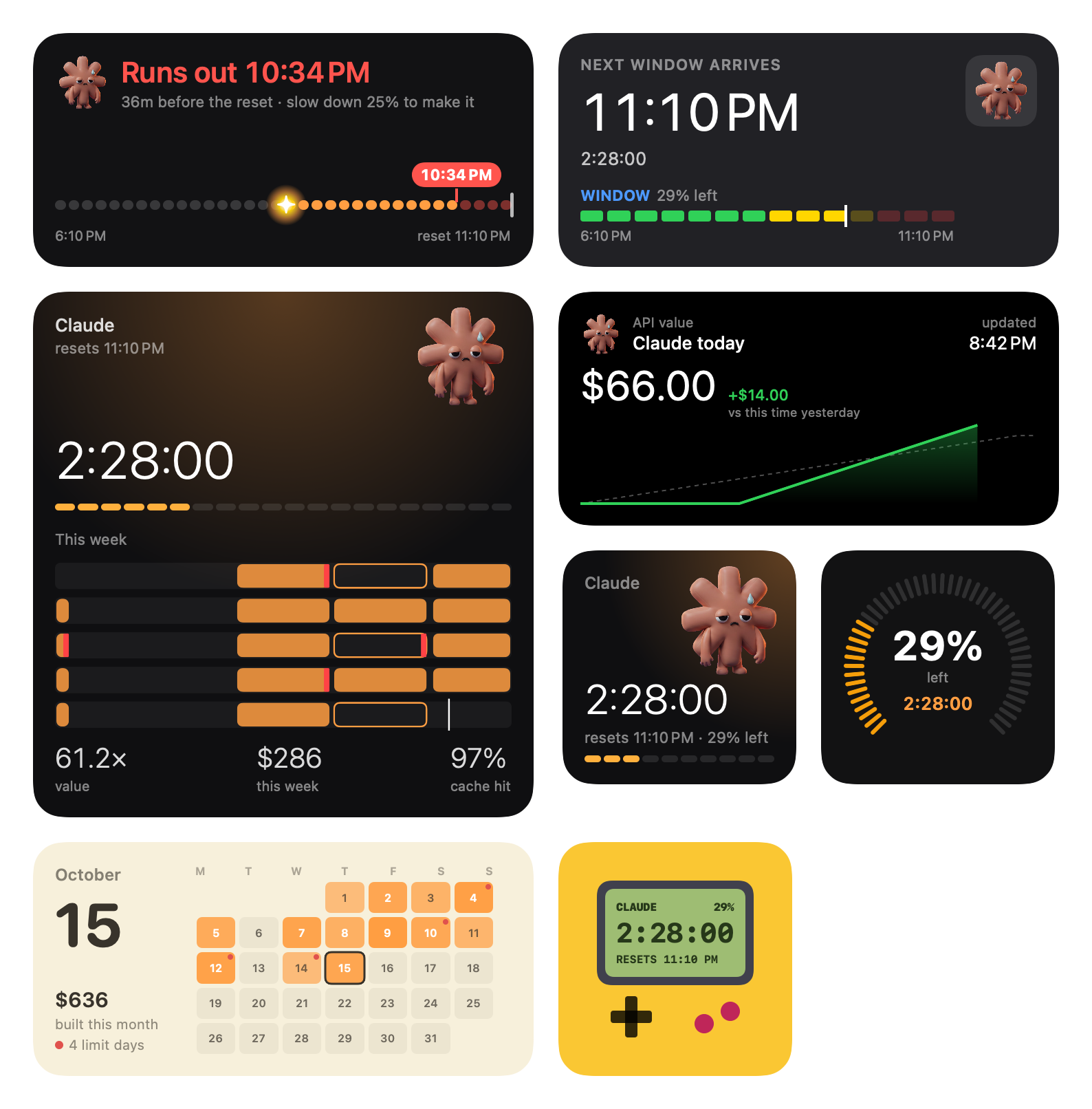
Eight widgets in all: the Fuse, a countdown with your mascot, a gauge, when your next window arrives, today's spend against yesterday, a month calendar, your week, and a Game Boy. The countdown and Fuse get a Start now button when a fresh window is waiting.


An MCP server tells Claude how much window is left, including the weekly limit, and lets it set a budget for a task: it tells Claude to wrap up at 80% of the cap, and when to hand the rest to a smaller model. A status line keeps the numbers in your terminal, and says so when Reset isn't running instead of showing old ones. Set both up with one click in Settings.
# Your terminal's status line ◷ Claude 42% left · 2h 46m to 11:15 PM · budget 70% · $22 today # Claude, mid-task, via the MCP server get_claude_usage → "Within budget for “Refactor auth”: 30% of the window used, cap 70%."
# One click: Settings → Advanced → Add for me # Or by hand: claude mcp add --scope user reset -- \ /Applications/Reset.app/Contents/MacOS/reset-mcp # Tools get_claude_usage set_budget clear_budget
Reset reads Claude Code's local transcripts and keeps only token counts, models, times, tool names, project folders and session titles. Never your prompts or Claude's replies.
Live usage sends Claude Code's own sign-in to api.anthropic.com to read your exact usage, and the Claude desktop app's for its other accounts if you allow it. Cursor sends the Cursor app's sign-in to api2.cursor.sh to read this month's usage. Phone alerts send reset times to your ntfy server. That's it.
Reset runs no servers of its own. A daily update check asks GitHub whether a newer version exists, and you can switch it off. The code is MIT licensed and all on GitHub.
Reset-x.y.z.dmg from GitHub releases, open it and drag Reset to Applications.Without live usage, Reset estimates from your Claude Code activity and says so. Turn on Settings → General → Live usage for exact numbers.
Yes: Codex reads its own session logs, Gemini CLI resets at midnight Pacific, and Antigravity reads its local server while the app is open. Cursor shows this month's usage once you switch it on in Settings, using the Cursor app's sign-in. You can also add any tool with a manual countdown.
A tiny bit: one short message to the cheapest model per window. It only runs for a window Reset watched run out, never when you switch it on.
See Troubleshooting, or use Settings → Advanced → Report a problem. It pre-fills a GitHub issue with versions and on/off states only, and you see it all before sending.